Page 2 of 3
Re: Eagle, pcb to g-code, Mach3 and Autoleveler
Posted: Thu May 11, 2017 11:15 am
by AKG
That's great. I appreciate your support.
Re: Eagle, pcb to g-code, Mach3 and Autoleveler
Posted: Thu May 11, 2017 12:03 pm
by Country_Bubba
Just to jump in on this conversation, I believe I have read that some USB dongles have not implemented probing for Mach3. I could be incorrect, but it may not be a Mach problem, but rather a problem with the USB dongle.
The one to contact would be the provider of the USB dongle.
Re: Eagle, pcb to g-code, Mach3 and Autoleveler
Posted: Thu May 11, 2017 12:31 pm
by AKG
Well there is probing because zero tool works. This means feedback from machine z-axis is getting to Mach3.
Re: Eagle, pcb to g-code, Mach3 and Autoleveler
Posted: Thu May 11, 2017 12:56 pm
by Country_Bubba
Ah, OK thats one thing down.

Re: Eagle, pcb to g-code, Mach3 and Autoleveler
Posted: Thu May 11, 2017 2:58 pm
by daedelus
I think Art could be correct because I have had a quick look around on CNCZone before I email Artsoft and it seems that many USB boards do not support the G31 probe command. If the zero tool does not use G31 directly, then that could explain why the zero tool works but the PFG (which makes use of G31) does not.
Do you know the manufacturer of your USB board? It has been suggested that the manufacturer may be able to provide an updated driver that supports G31. Another possibility is to swap the USB card for a parallel port one, if your computer has a parallel port directly on the motherboard. PCI parallel port cards do not work in general.
Re: Eagle, pcb to g-code, Mach3 and Autoleveler
Posted: Thu May 11, 2017 6:06 pm
by steamer
AKG,
If you're 6040Z S80 1,5 kW uses the NcUsbPod.dll driver, which I think it does. Then maybe my post ''Aircuts on Mach3 USB NcUsbPod" provides a work around for some of the problems. (my usb controller box is from a 6040Z)
I had some of the same problems, and I found out that if you don't close mach3 after aborting or having run a autolevelled gcode file that has gone wrong, mach3 uses its autolevel results for the next start. And mostly throws a softlimit error or aircuts way high.
So close and reopen Mach3 after a (aborted) AL run!
It won't work for generating a RPF file, but the autolevel function could work with the workaround.
Emile
Re: Eagle, pcb to g-code, Mach3 and Autoleveler
Posted: Fri May 12, 2017 6:43 am
by AKG
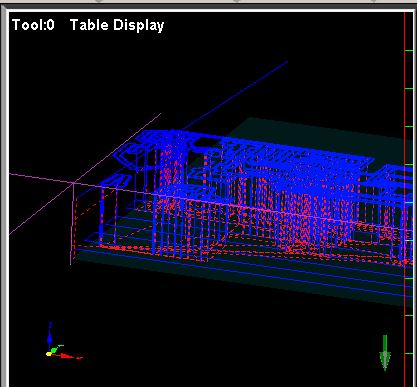
Yesterday I tried to run autoleveled .tap file from pcb-gcode without G82 (spot drill holes) command. After "performed" autoleveling, machine tried just like toolpath suggested, it went all the way up in
Z. So I cancelled the job. Obviously G31 command is not working properly.
@steamer, yes my driver is also NcUsbPod.dll. I'll try workaround that you suggest, and let you know did it help.
Thanks.
And I'll try to reach driver board manufacturer, but I'm not very optimistic about that. You know those CN manufacturers can be hard to reach..
Re: Eagle, pcb to g-code, Mach3 and Autoleveler
Posted: Fri May 12, 2017 10:45 am
by steamer
Hello,
I've had good results with contacting the guy that wrote the firmware in the past. ( Chao from XHC )
A few years back I had a problem with pecked drilling, and a few days later I got a fixed firmware from him.
The only problem is that they have moved on to a newer controller ( IV vs V ) and they haven't released a firmware for the IV controllers in quite a while.
Greetings,
Emile
Re: Eagle, pcb to g-code, Mach3 and Autoleveler
Posted: Fri May 12, 2017 11:23 am
by daedelus
I have been looking at various forums and then at Mach3 macros. I am no expert on Mach3 or its macros but here are my thoughts this morning...
For the RPF to work correctly, we need to avoid G31 altogether and instead write X, Y and Z DRO's directly to a file within a macro.
Steamer provided a macro line "SetVar(2002,getoemdro(802))" to write the current Z value to the 2002 parameter but for the RPF we need more.
I came across this thread on MachSupport forum:
https://www.machsupport.com/forum/index ... 797.0.html
which seems to describe the problem of writing DRO's to a file and of avoiding the repeats. Read page 1 and 2, copy and paste the macro at the end of the thread to a new file e.g. PROBE.m1s, replace the G31 lines in the PFG with PROBE. Also, remove the M40, and M41 words in the PFG. Try if possible and see if it works.
As I said, I am not a Mach3 expert and I may have missed something vital but it could be the fix we are looking for so I had to mention it.
Re: Eagle, pcb to g-code, Mach3 and Autoleveler
Posted: Fri May 12, 2017 11:27 am
by daedelus
Just seen steamers post.
Yeah the firmware option would be better and easier obviously if possible.